
PickMyHue: Your Smart Online Color Picker and Palette Generator
Color plays a vital role in design, branding, and user experience. A well-picked palette not only enhances the aesthetic of your project but also influences mood, engagement, and clarity. That’s where PickMyHue, a free online color picker and palette generator built with flexibility, responsiveness, and user control comes into play.
Whether you’re a web developer, digital designer, or simply experimenting with colors, PickMyHue makes it easy to pick, choose and save the perfect palette—without leaving your browser.
🌈 What Is PickMyHue?
PickMyHue is a smart, web-based color picker tool that lets you:
- Choose colors via a visual color input or by typing HEX codes manually
- View real-time HEX, RGB, and HSL values
- Instantly generate color harmony palettes including complementary, analogous, triadic, and monochrome options
- Save, reuse, and manage your favorite colors using interactive storage features
- Copy color codes with one click or explore random colors for inspiration
- Switch between light and dark modes for a seamless experience any time of day
It’s fast, intuitive, and powerful—perfect for designers, developers, and creatives looking for an all-in-one HTML colour picker solution.
✨ Key Features at a Glance
🎯 Real-Time Color Selection
- Use the native HTML <input type=”color”> for a seamless color-picking experience
- Optional manual HEX code input (e.g., #FF5733) for precise selections
- Every color change instantly updates all outputs and palettes
📋 Live Color Values
Immediately see:
- HEX code (e.g., #00BCD4)
- RGB format (e.g., rgb(0, 188, 212))
- HSL format (e.g., hsl(187, 100%, 41%))
🎨 Smart Palette Generator
Get instant suggestions for:
- Complementary Palette (opposite hue on the color wheel)
- Analogous Palette (±30° hue values)
- Triadic Palette (±120°, ±240°)
- Monochrome Palette (same hue, different lightness/saturation)
🔁 Random Color Picker
Feeling stuck? Use the “Try Random Color” button for creative inspiration and exploration.
💾 Save Your Colors
- Saved Colors Panel: Located beneath the color information fields
- Saved Palettes Tab: View all saved swatches beneath the “Saved Color’ label
- Persistent Storage: Saved colors are stored in your browser’s localStorage
- Interactive Features:
- Click to copy any saved color
- Double-click to select and apply the saved color
- Hover delete (×) to remove a color from your saved list
🌙 Dark Mode Toggle
Comfortably use the tool in dark or light environments using the dark mode switch. The interface adjusts instantly.
💡 Who Should Use PickMyHue?
This isn’t just a tool for professional designers. Rather it is for:
🖥 Developers & Coders
- Quickly convert colors to HEX, RGB, and HSL for use in CSS
- Generate harmonious palettes without external software
🎨 Designers
- Visualize multiple palette options in seconds
- Explore analogous or triadic schemes for logos, posters, UI themes
📱 UI/UX Designers
- Ensure accessible contrast using complementary and monochrome colors
- Switch between formats based on design requirements
🖌 Students & Hobbyists
- Learn color theory hands-on
- Save and compare favorite combinations
💼 Marketing Teams & Brand Consultants
- Create consistent branding palettes
- Generate quick ideas for campaigns, web assets, and visuals
🛠️ How to Use PickMyHue Step-by-Step
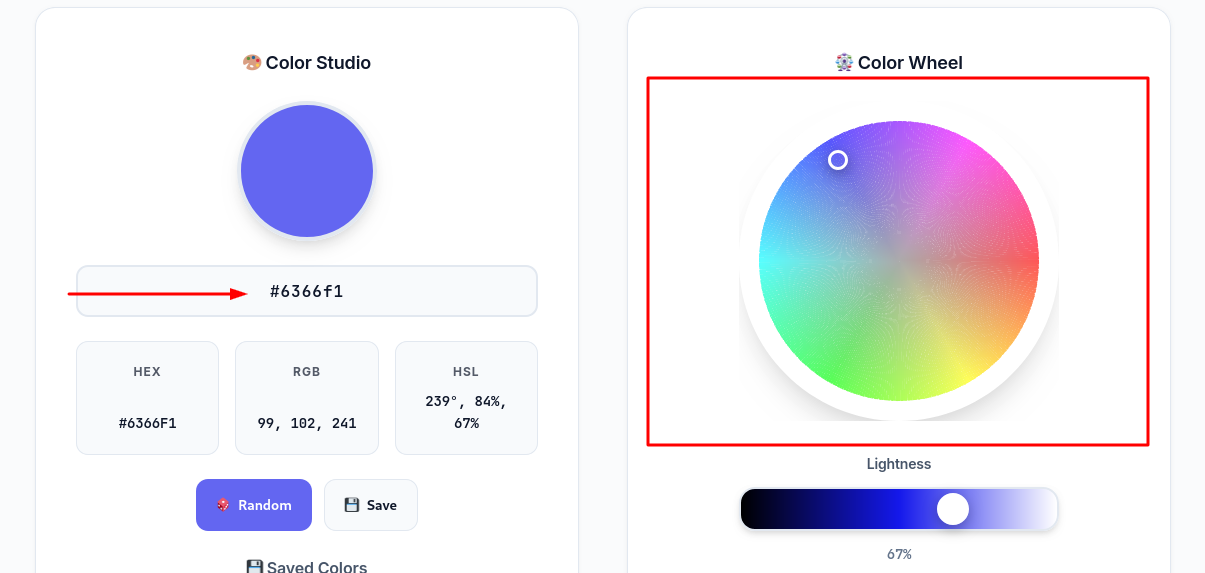
1. Pick or Enter a Color
- Use the color picker or enter a HEX color code manually.
- Alternatively, press “Try Random Color” to generate a new shade.
2. View Instant Outputs
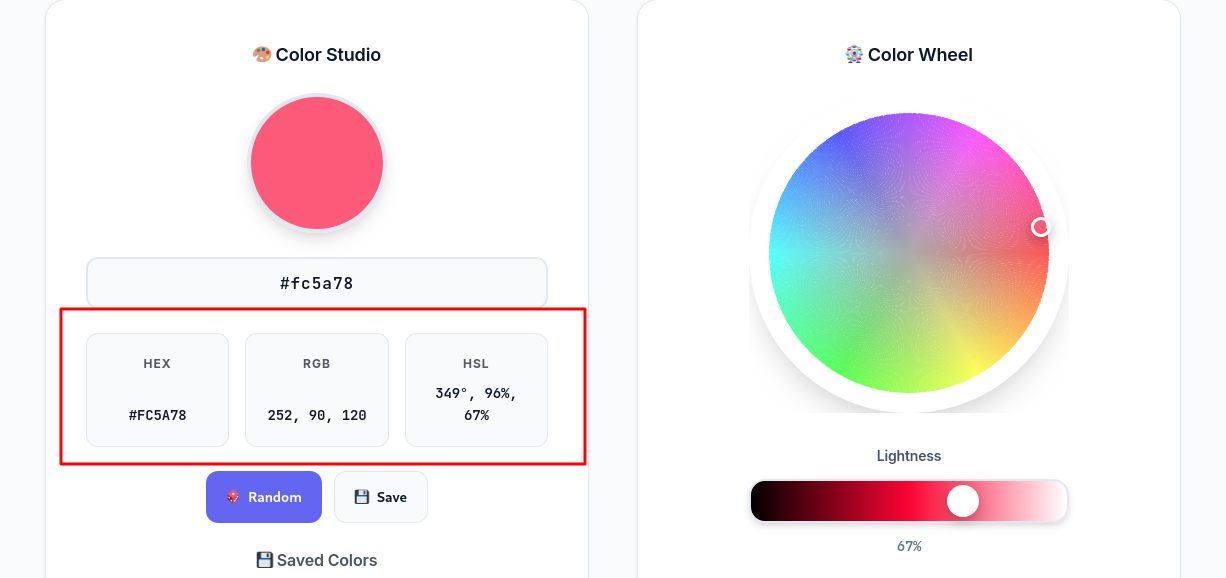
Once a color is selected, you’ll see:
- HEX
- RGB
- HSL
3. Explore the Palette Generator
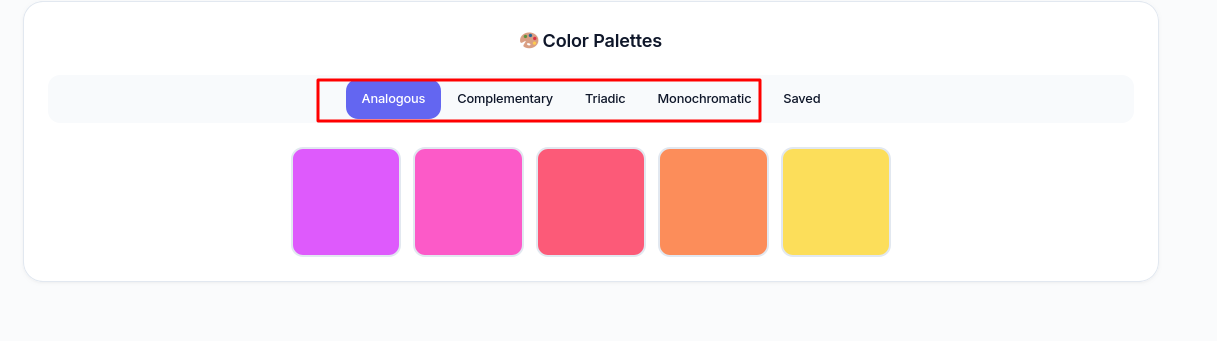
Your selected color automatically generates:
- Complementary (180° hue shift)
- Analogous (±30°)
- Triadic (±120° and ±240°)
- Monochrome (different lightness/saturation)
4. Copy Any Value
- Click on the favorite color to automatically copy the color code
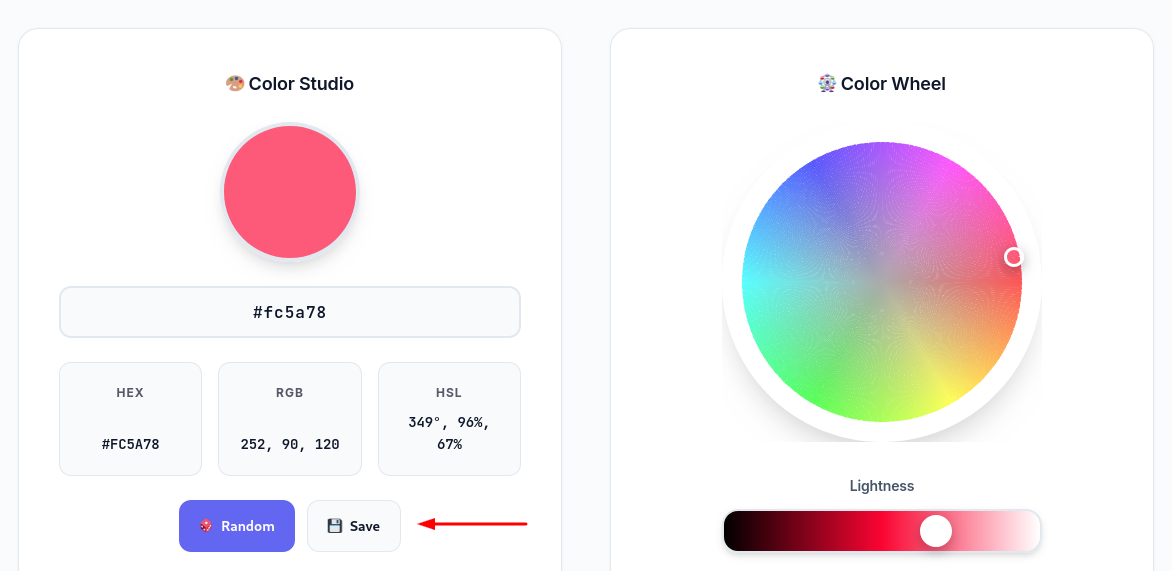
5. Save Your Favorites
- Click the save icon to store any selected color
- Access it later from the Saved section or palette tab
- Double-click to reapply it instantly
6. Manage Saved Colors
- Hover over saved swatches to see a delete × icon
- Organize, reuse, or delete as needed
7. Use Dark Mode
- Toggle dark mode using the switch in the interface
🔬 Behind the Scenes: Color Theory at Work
Foundational color theory to generate palette options:
- Hue: Color’s angle on the wheel (0–360°)
- Saturation: Purity of the color
- Lightness: Brightness from black to white
Based on these values:
- Complementary: Opposite hue (±180°)
- Analogous: Side-by-side hues (±30°)
- Triadic: Evenly spaced hues (±120°, ±240°)
- Monochrome: Same hue, variable light/saturation
These relationships ensure harmony and balance across your design.
📊 How PickMyHue Compares
Feature | Google Color Picker | PickMyHue |
HEX/RGB/HSL Output | ✅ | ✅ |
Manual HEX Input | ✅ | ✅ |
Complementary Palette | ❌ | ✅ |
Analogous & Triadic Palettes | ❌ | ✅ |
Copy Buttons | ❌ | ✅ |
Dark Mode | ❌ | ✅ |
Save Colors | ❌ | ✅ |
Random Color Generator | ❌ | ✅ |
💡 Real-World Use Cases
- Website Design: Build color-consistent landing pages using triadic or complementary palettes.
- Logo Creation: Choose high-contrast colors using complementary logic.
- Social Media Graphics: Get vivid background/text contrasts with random or saved color combos.
- UI Design: Use monochrome or analogous options for clean interfaces.
- Branding: Generate and save brand palettes for future reuse.
🧾 Final Thoughts
PickMyHue is more than just an HTML colour picker or Google color picker alternative. It’s your smart assistant for visual designing. With tools to pick, generate, save, and explore colors instantly, it brings ease and clarity to digital design workflows.
All of this runs right in your browser—no installs, no signups.
🚀 Try It Yourself
Next time you need a color code finder or an online hex color picker tool, skip the clutter. Head straight to PickMyHue and let your colors come to life. Whether you’re creating a brand, a button, or an entire theme—this tool is your design sidekick.
🎨 Simple. Fast. Smart. Try PickMyHue now and unlock better color design with every click.